For developers
This page explains what FlutterFlow builds, what you can see of the agent’s changes, and where to read more.
What FlutterFlow builds
Your app is a Flutter app written in Dart. FlutterFlow sets the Flutter version for every app.
FlutterFlow builds your app for phones in Releases, where you send builds to testers and submit them for store review.
To download a version’s built files, open the version in Releases and choose Files from its menu. Only the newest finished Android build and the newest finished iPhone build keep their files, so older versions might not have any. You can download an .apk file and an .aab file for Android, and an .ipa file for iPhone. If a build reported why it has no .aab file, Files shows the reason. See App files.
Changes
A thread shows the agent’s changes in two places:
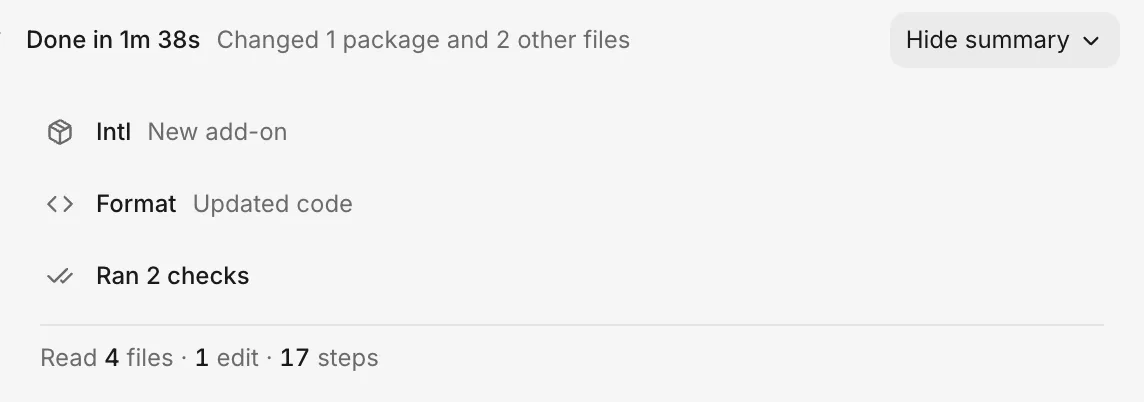
- A turn’s Summary: when a turn ends, its Summary lists the screens, backend changes, added or removed packages, and other code that the turn changed, along with how many checks the agent ran.
- The Changes tab: a thread’s Changes tab lists the thread’s unpushed changes and the changes already in your app (marked In your app).
See What changed.
Add a package
To add a package to your app, ask for it by name in a thread. When the turn ends, its Summary lists the package by name as a new add-on. See Features and packages.
Give the agent code
To give the agent code to work from, paste it into your message, or put it in a .txt file and attach the file. See Attachments.
Use another backend
FlutterFlow provides a built-in backend for sign-in, saved data, and uploaded files, and the agent uses it by default. If you ask for an external backend, such as Firebase, Supabase, Auth0, or your own API, the agent first offers the built-in backend. If you confirm your choice, the agent builds the external backend into your app alongside the built-in one, asks for its public settings (such as a Supabase URL and anon key), and notes that Backend in FlutterFlow won’t show data stored there. Keep server secrets (such as service-role keys or admin tokens) on your own server rather than in your app. The agent also lists any native setup you must finish on your own computer, such as adding an Android or iOS Firebase configuration file.
Source code
The agent writes and updates your app’s code in threads. You can download your app’s compiled phone builds from FlutterFlow, but you can’t download or export its source code or send it to GitHub.
To change your app’s code, ask the agent in a thread. To get your app onto phones or into the stores, use Releases.
Pages for developers
These pages cover what developers ask about most:
- What the agent can do: what the agent builds and checks, and what only you do.
- What changed: the turn’s Summary and the thread’s Changes tab.
- Features and packages: ask for a feature or a package by name.
- Attachments: the files you can give the agent.
- App files: the
.apk,.aab, and.ipafiles for a version. - Platforms and devices: the phones and devices that your app runs on.
- Limits: the sizes and counts that FlutterFlow allows.
- Not available: what FlutterFlow doesn’t have, and what you can do instead.