Plans, prices and allowance
FlutterFlow has four plans: Free, Basic, Pro, and Max. Your plan sets your allowance, your personal budget for the agent’s work.
Plans
The following table compares the four plans.
| Plan | Allowance resets | Refills |
|---|---|---|
| Free | Every week | None |
| Basic | Every month | None |
| Pro | Every month | Paid refills |
| Max | Every month | Paid refills |
Each plan includes a personal allowance (paid plans are sized relative to Basic):
- Free: A weekly allowance for a few changes per week after your free first version.
- Basic: A monthly allowance sized for building a simple app.
- Pro: A monthly allowance 2.5 times Basic, sized for building a complex app.
- Max: A monthly allowance 5 times Basic, sized for building large, complex apps.
A refill adds a week of your plan’s usage right away, and your reset date stays the same. For more information about refills, see Refill allowance.
Prices
The Free plan costs nothing. The plan picker shows each paid plan’s monthly price under its name. The following are the US monthly list prices:
- Basic: US$39 a month
- Pro: US$80 a month
- Max: US$150 a month
Prices exclude tax, which is added at checkout based on your location.
Plan prices depend on the country of your internet connection, so using a VPN or traveling can change them, and they may be lower than the US prices.
Upgrading from Pro to Max keeps your Pro currency and regional pricing. Refill prices use your plan’s currency regardless of your location.
To choose a plan or move to another one, see Change plan.
Free first build
Your account includes one free build, which covers your first version until the free build runs out. On a paid plan, a first version running on your free build leaves your allowance untouched; on Free, a first version runs on your free build whatever your allowance has left, and stops if the free build runs out.
If a first version fails, you can try again in the same thread, and it keeps running on your free build until the free build runs out. Starting another first version on your free build needs enough of it left for a whole one. Plan & usage tracks your free build under Free builds.
On a paid plan, any part of a first version not covered by your free build uses your allowance. Once your free build is in use or used up, starting a new app requires enough allowance for a full first version; otherwise, sending a prompt opens the plan picker with “Not enough allowance left for a new app” and saves your prompt.
Your free build can also cover the first change you ask for after your first version lands, and pushing that change to your app; after that, your next message needs allowance.
On Free, you can start a new app only with your free build. Sending a prompt for another app while your free build is running or after it is used opens the plan picker with “You’ve used your free build” and saves your prompt. You can continue updating your existing apps on Free, or upgrade to a paid plan to create more apps.
Included FlutterFlow Studio plan
FlutterFlow and FlutterFlow Studio share one subscription and one bill. Each FlutterFlow plan includes a matching Studio plan at no extra cost and bills under that Studio plan’s name (without the word “Studio”, such as Billed as FlutterFlow Growth):
| FlutterFlow plan | FlutterFlow Studio plan |
|---|---|
| Free | Free |
| Basic | Basic |
| Pro | Growth |
| Max | Business |
A Studio Agency plan maps to Max in FlutterFlow. A seat on someone else’s Studio team maps to Free.
For more information, see One plan with Studio.
How allowance works
FlutterFlow shows your allowance as a percent left (rounded down, so it never shows more than you have left) and its reset date. Here’s how your allowance resets, whose it is, and what happens when it runs out:
- When it resets: On Free, your allowance resets at the end of each seven-day window. On Basic, Pro, and Max, it resets on the same day each month.
- Whose it is: Your threads in any app use your allowance, and your teammates’ threads use their own allowance.
- When it runs out: For what stops and how to keep building, see Out of allowance.
If you are on Free when your free build starts, your first week starts with it, and your weekly allowance starts when that week ends. During that week, the account menu and usage ring panel label your allowance First-week allowance, and Plan & usage on a computer shows it under Your first week. While your free build is still covering your first app, the usage ring and Plan & usage show On your free build.
Backend › Usage also uses the word “allowance”, where it refers to your app’s monthly backend limits (such as database reads and writes) rather than your personal agent allowance. See Backend usage.
See your allowance
Check your allowance in any of the following places:
- The account menu: A card near the top of the menu names your allowance, such as Monthly allowance or Weekly allowance, and shows how much is left and when it resets. Its button is usually Manage, which opens Plan & usage.
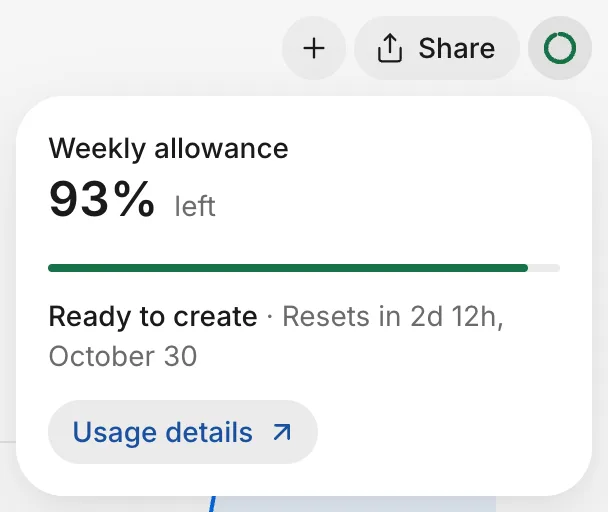
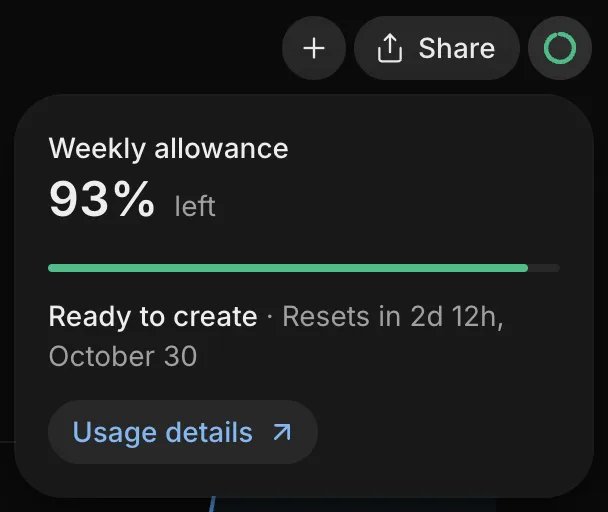
- The usage ring: While you work in an app, a ring at the upper right shows how much is left. Click it to see the percent left, when it resets, and Usage details, which opens Plan & usage.
- Plan & usage: In the account menu, select Plan & usage. On a computer, this page shows your allowance, when it resets, your free builds, and your plan. On Pro and Max, it also shows your paid refills.
- On a phone: Tap your picture to open You, and then tap the card at the top, with your name and plan, to open Plan and usage. It shows your plan and your allowance. On Pro and Max, refills are under Refill usage.