Store requirements and fees
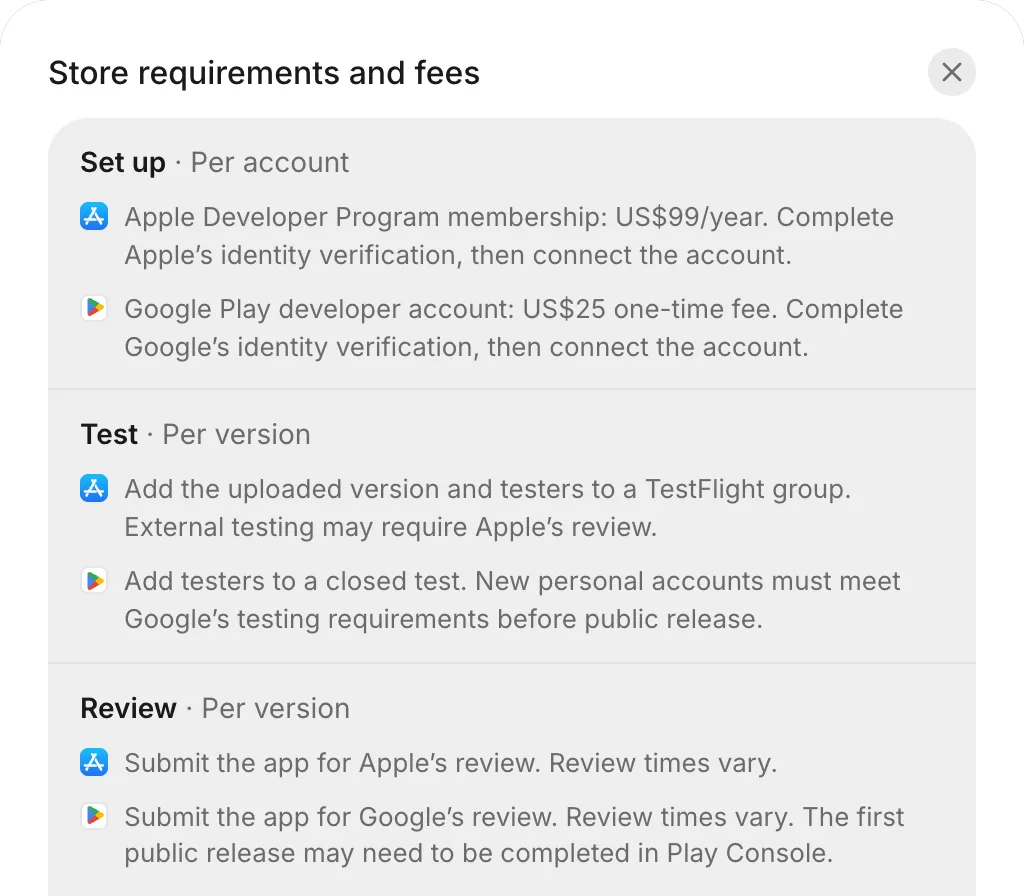
This page compares what the App Store and Google Play charge and ask for, from your developer account to your app’s release. To see the same comparison in FlutterFlow, go to Releases, select How releasing works in the header, and then select Store requirements and fees.
Fees and developer accounts
Each store needs its own developer account. You pay each fee to Apple or Google per account, not per app.
| App Store | Google Play | |
|---|---|---|
| Account | Apple Developer Program membership | Google Play developer account |
| Fee | US$99 a year | US$25, one time |
| What you need to sign up | An Apple Account with two-factor sign-in, a photo ID, and an iPhone, iPad, or Mac | A photo ID. A personal account also needs an Android phone. |
| Identity verification | Required. Check your enrollment status with Apple. FlutterFlow can’t check it for you. | Required. Check your verification status in Play Console. A personal account also needs Android device verification. |
| Verification time | Varies | Varies |
To sign up for each account, see Developer accounts.
Testing and review
Each store tests and reviews every version of your app independently:
| Stage | App Store | Google Play |
|---|---|---|
| Test | Add the uploaded version and your testers to a TestFlight group. Testers install it with TestFlight on an iPhone. External testing might require Apple’s review. | Add testers to a closed test. New personal accounts must meet Google’s testing requirements before public release. |
| Review | Submit the version for Apple’s review. Review times vary. | Submit the version for Google’s review. Review times vary. You might need to complete the first public release in Play Console. |
| Live | Your app is available on the App Store. | Your app is available on Google Play for Android. |
A new personal Google Play developer account requires 12 testers opted in continuously for 14 days before you can apply to release your app publicly. See Add testers.
Before reviewing a version, Apple asks for the age rating and App Privacy in App Store Connect, and Google asks for the content rating and Data safety in Play Console. See Finish console setup.
FlutterFlow builds your app for iPhone only, so the App Store requires no iPad screenshots.
App file sizes
FlutterFlow builds app files up to these size limits:
| File | Used for | Largest size |
|---|---|---|
iPhone app (.ipa) |
TestFlight and the App Store | 190 MB |
Google Play file (.aab) |
Google Play | 190 MB |
Android app (.apk) |
Installing on an Android phone yourself | 95 MB |
For the other limits on phone builds and store details, see Limits.